Forms
Create a WhatsApp form, add questions, send it and see the answers on the lead.
1 min video7 stepsEnglish and हिंदी
Language
Step by step
The same steps in writing, with a screenshot for each.
1. Your forms
A WhatsApp form opens inside the chat, so customers fill it in without leaving WhatsApp. Their answers go straight to the lead.
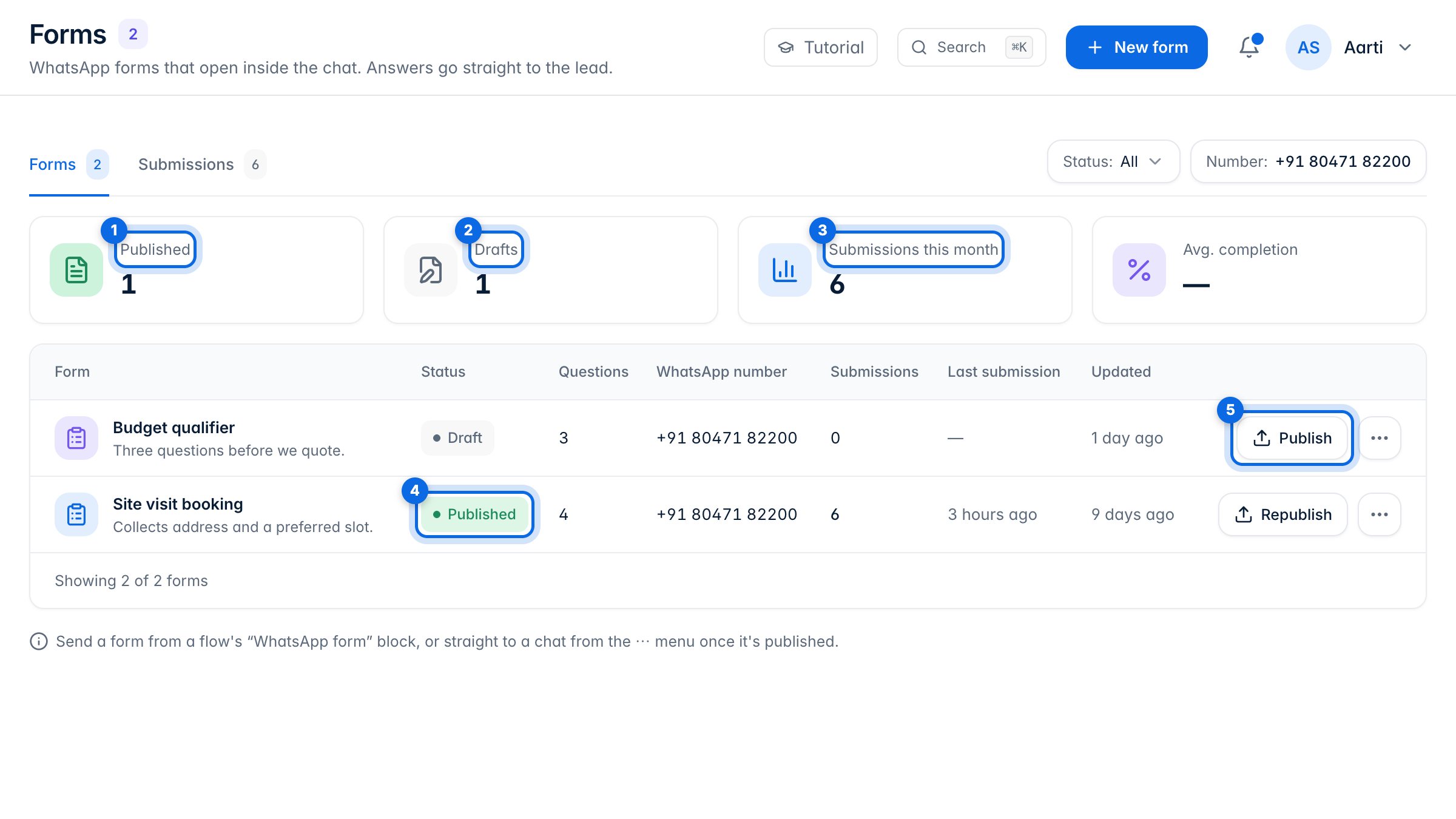
The cards count published forms (1), drafts (2) and this month's submissions (3). Each row shows the form's status (4). A draft has to be published to Meta (5) before you can send it.
2. Create a form
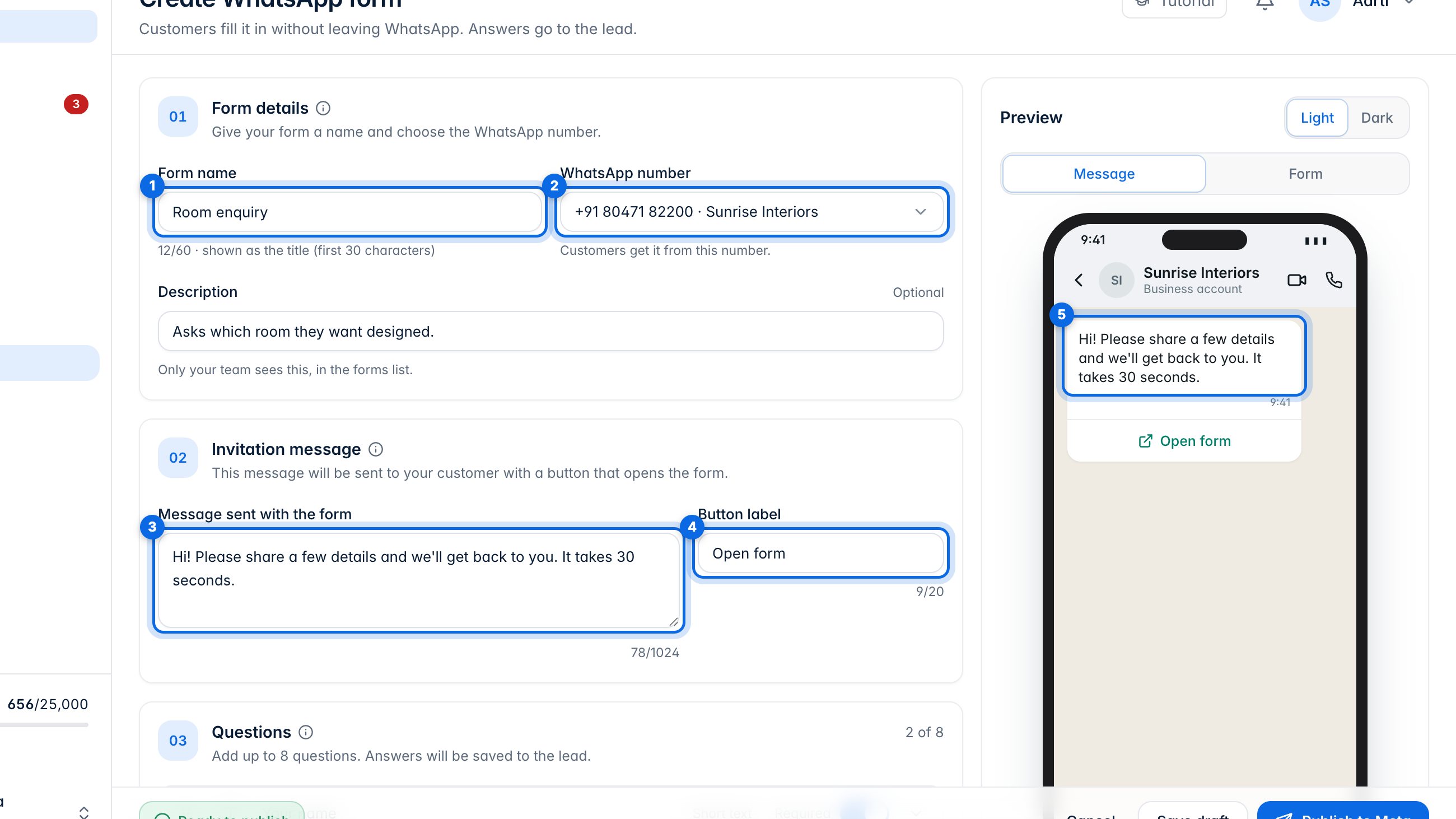
Click New form. Name it (1); the name is the form's title. Choose the WhatsApp number it goes from (2). Write the message sent with the form (3) and the label of the button that opens it (4). The preview (5) shows the message as the customer sees it.
3. Add questions
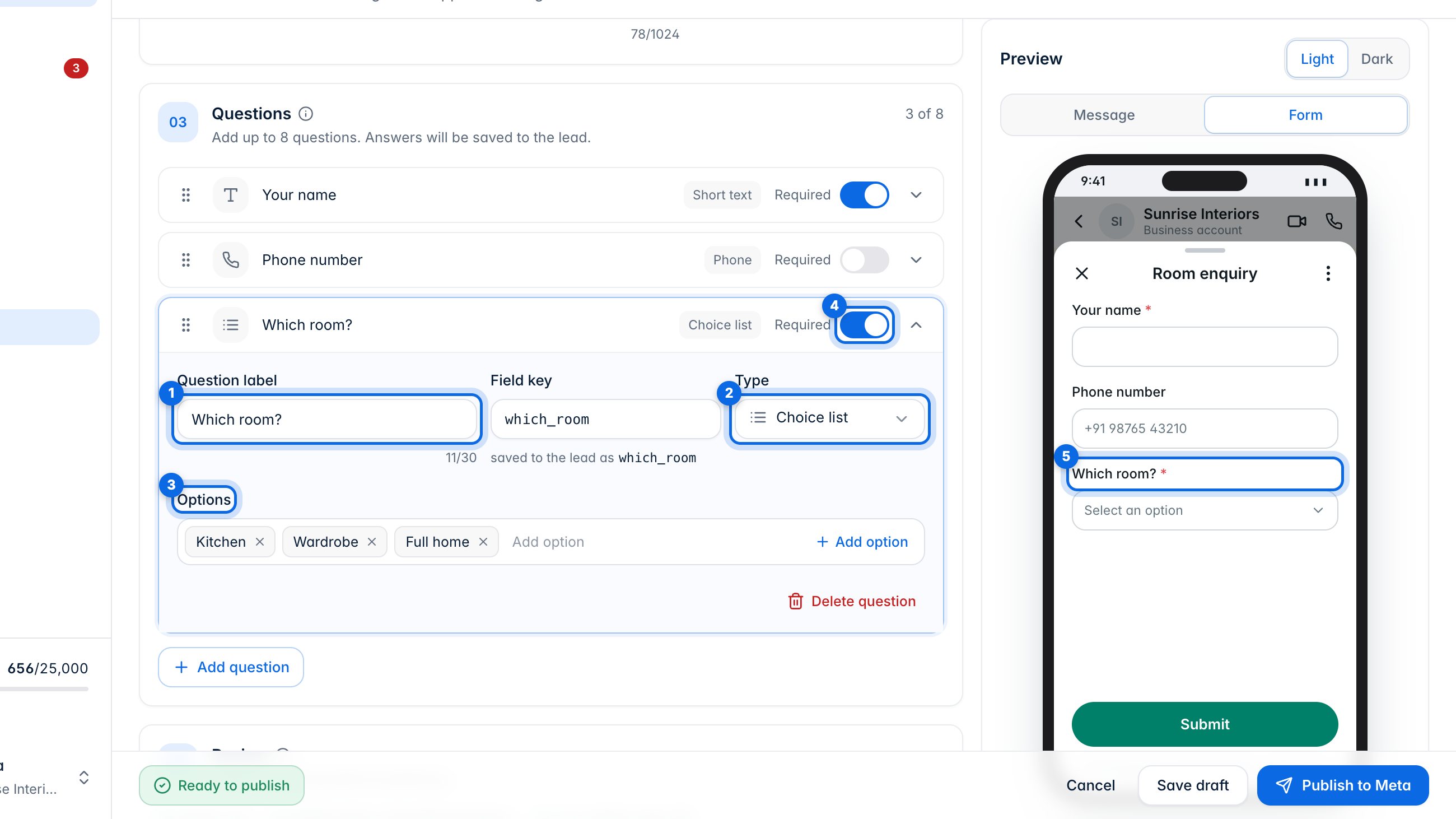
A form starts with name and phone, and holds up to 8 questions. Click Add question, write the question (1) and choose its type (2): text, number, email, phone, date or a choice list. A choice list needs at least two options (3). The switch (4) makes a question required. The form preview (5) updates as you go.
4. Check and publish
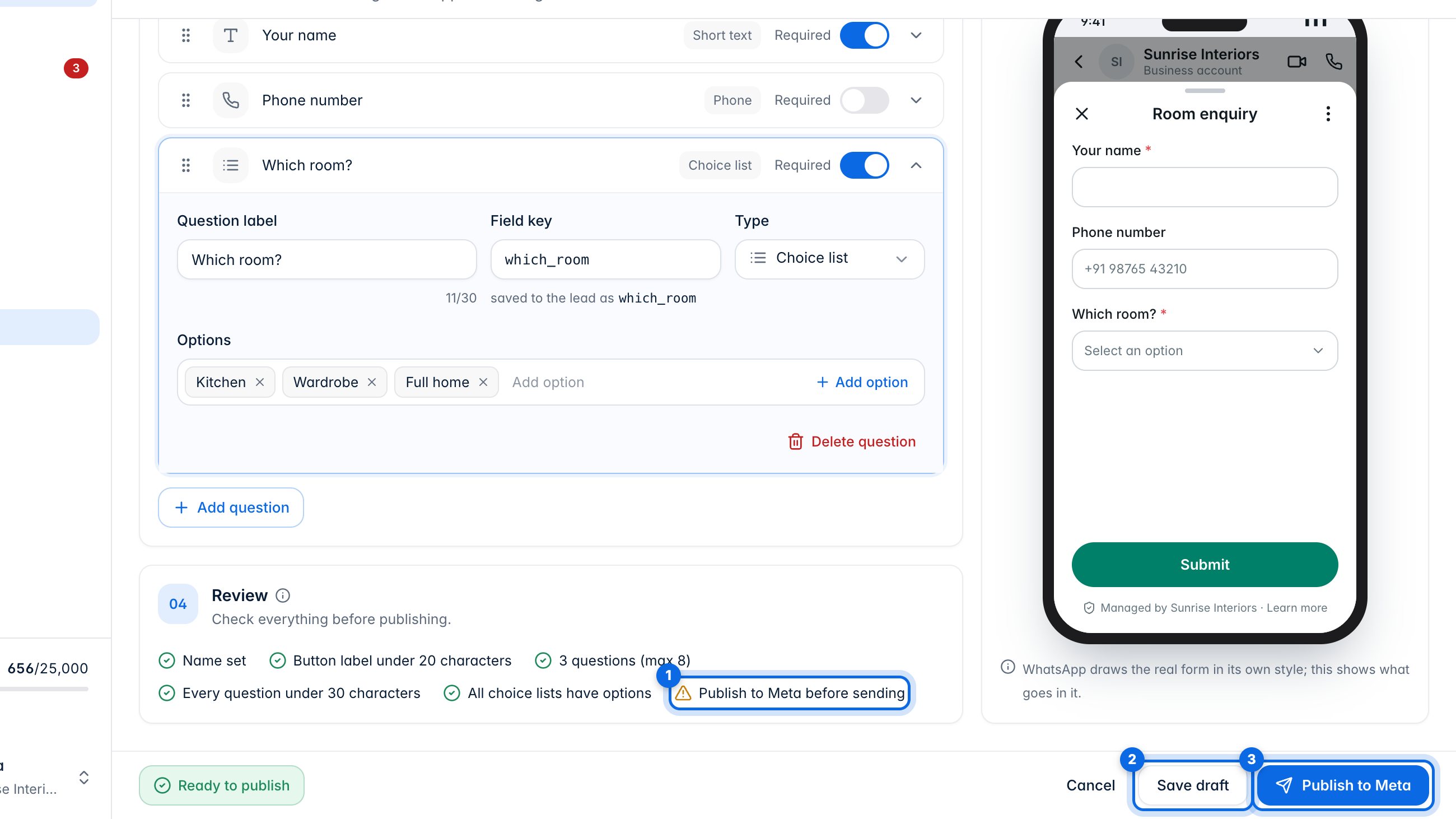
Review (1) lists anything still to fix. Save draft (2) keeps it here. Publish to Meta (3) makes the form live on WhatsApp, ready to send.
5. Send a form
A flow can send a form with its WhatsApp form block. You can also send one yourself.
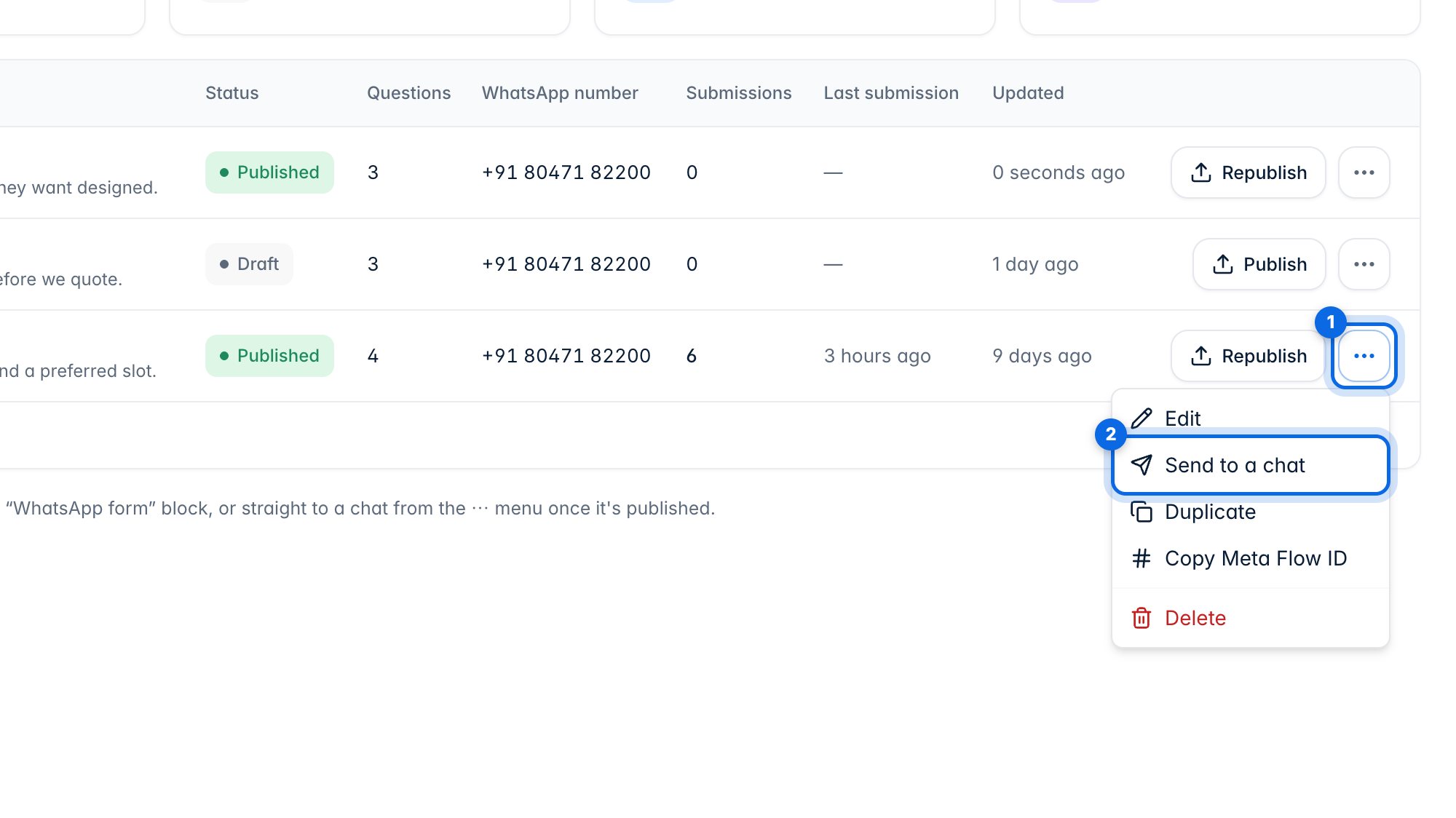
Open the ⋯ menu on a published form (1) and choose Send to a chat (2).
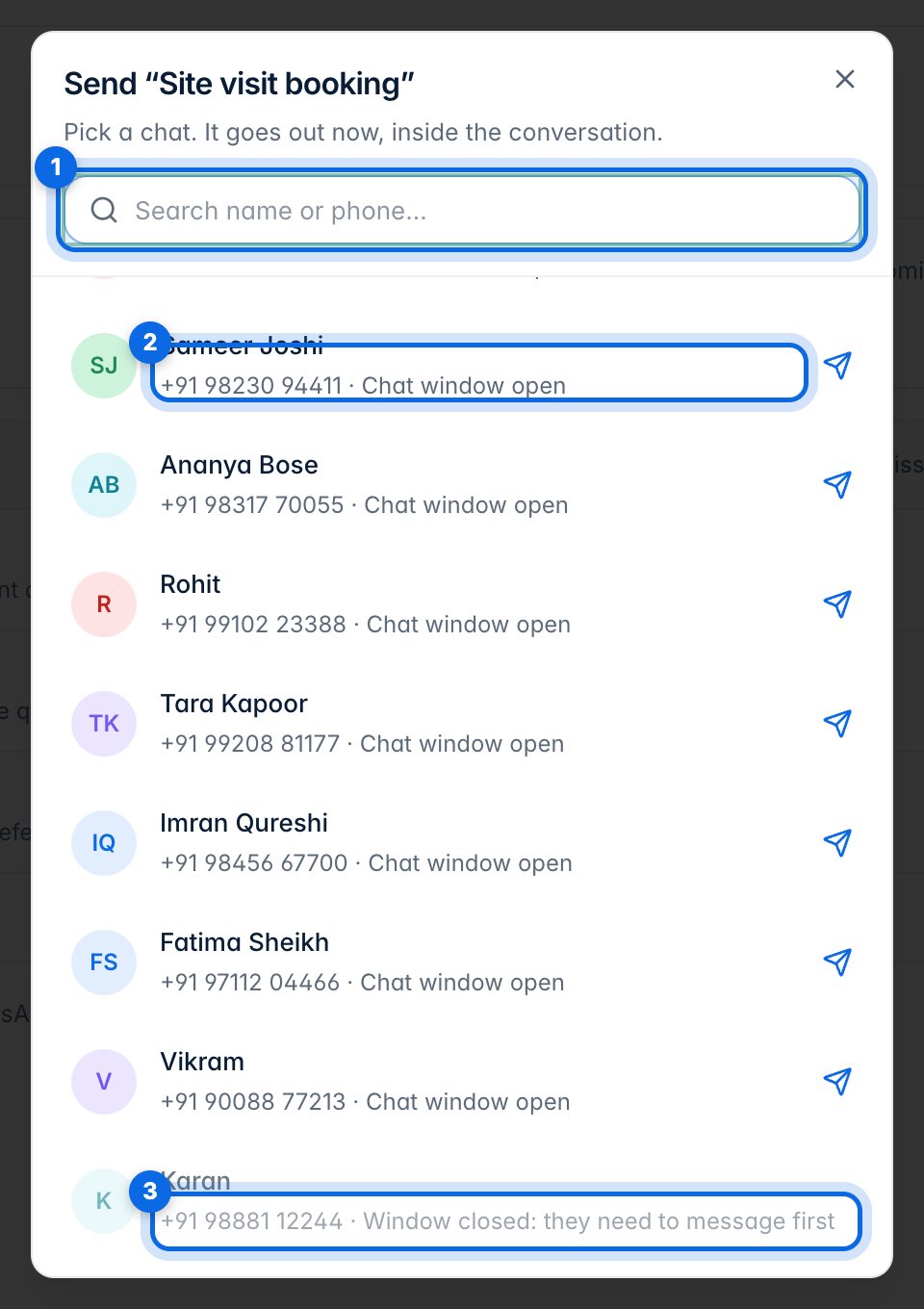
Search for the customer (1) and pick their chat (2). It goes out straight away. A chat whose window has closed (3) can't get it until the customer writes first.
6. See the answers
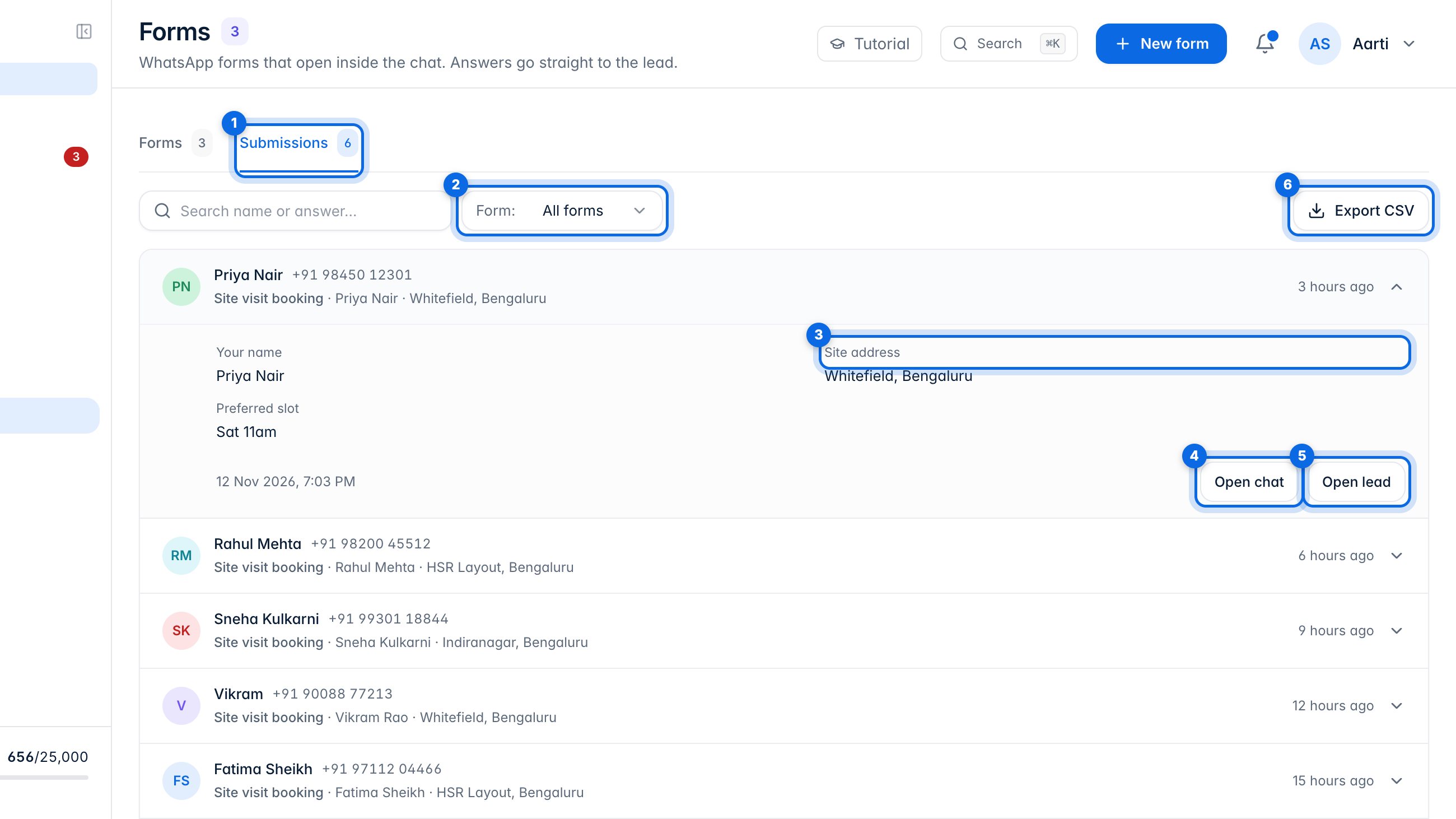
Open Submissions (1) and filter by form (2). Click a submission to see the answers (3), then open the chat (4) or the lead (5). Export CSV (6) downloads them. Answers also appear on each lead's timeline.